About PLC Trainer UI PLC 3D
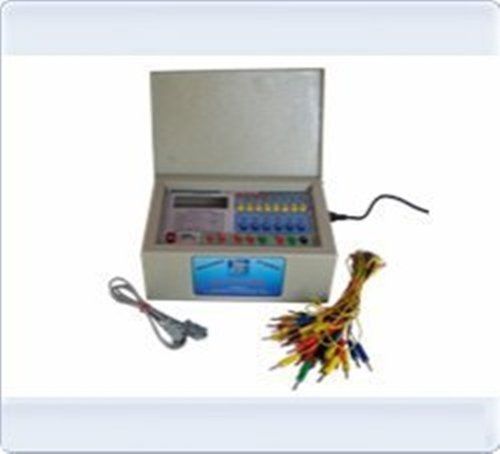
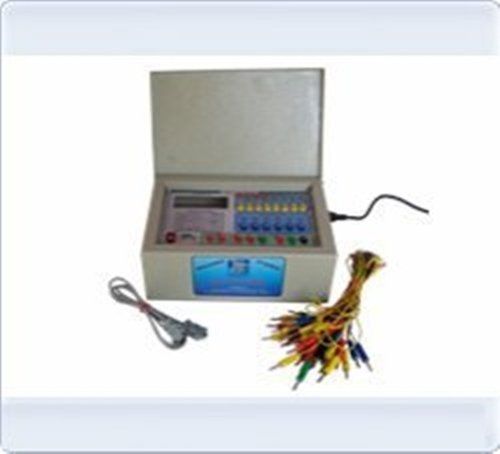
PLC Trainer UI PLC 3D
| Brand |
Micro Technologies |
| Power Supply |
230V +-10% @50Hz |
| PLC Make |
ABB, Siemence, Delta or Equivalent. |
| Digital Input/Output |
8 DI-24V , 6DO-24V |
| Inbuilt Power Supply |
24V @ 1A, +-15V-0-15V@500mA. |
| I/O Simulation |
4 No. Push button, 4 No. toggle switch, 6 No.LED. |
| I/O Termination |
4mm banana socket. |
| PC Interface |
RS232 Serial Port with cable. |
| Enclosure |
Powder coated metal box 300W X 250D X 150H |
Immersive 3D Simulation ExperienceExplore interactive 3D virtual plant scenarios with the UI PLC 3D Trainer, enabling users to visualize and simulate real-world automation processes. This feature enhances understanding and engagement, preparing learners for practical field applications by replicating complex industrial environments within a safe training suite.
Versatile PLC Programming & ControlMaster PLC operations with multi-language programming support, including ladder logic, structured text, FBD, and IL. The trainer enables flexible control modes and test sequences for diverse automation needs, supporting up to 10 input/output operations and providing automatic and manual control to suit various learning objectives.
Robust Design & Safety FeaturesCrafted from high-strength ABS and metal, the UI PLC 3D Trainer ensures durability and safety with built-in overload and short-circuit protection. Its ventilated cabinet design maintains optimal operating conditions, while variable test parameters make it suitable for a range of educational and industrial environments.
FAQ's of PLC Trainer UI PLC 3D:
Q: How do I start using the UI PLC 3D Trainer for PLC programming?
A: Begin by installing the PLC 3D Training Suite included with your trainer. Connect the device via USB or Ethernet to your computer, select your preferred PLC brand, and choose a programming language such as ladder logic, ST, FBD, or IL. The trainer guides you through practical modules and 3D simulations, making the initiation process straightforward.
Q: What brands of PLCs does the UI PLC 3D Trainer support?
A: This trainer supports major PLC brands, including Siemens, Allen Bradley, and Mitsubishi. It provides a universal platform for learning and practicing control strategies across these manufacturers, ensuring compatibility for varied educational and industrial requirements.
Q: When should overload and short-circuit protection features be used?
A: Overload and short-circuit protection are built into the trainer and automatically activate whenever a potentially unsafe condition occurs. These features ensure the safety of both users and equipment during hardware and software experiments.
Q: Where can the UI PLC 3D Trainer be installed and used?
A: The unit's bench-top mounting design makes it suitable for educational setups, laboratories, and industrial automation workshops. Its compact dimensions and robust build facilitate easy installation in locations where hands-on PLC training is needed.
Q: What is the process for simulating a virtual plant scenario?
A: Select a pre-built training module from the software suite, or customize your own scenario. Connect the trainer, set your test sequence parameters, and initiate the simulation. The trainer uses real-time data monitoring and 3D visualization to emulate real industrial processes, providing immediate feedback and detailed analysis.
Q: How does the UI PLC 3D Trainer benefit learning and skill development?
A: Immersive 3D simulations, programmable test ranges, and multi-brand support offer a comprehensive learning environment. Real-time monitoring and advanced safety features enable users to practice and refine automation skills safely, preparing them for real-world applications in education and industry.
Q: What communication interfaces are available for connecting the trainer?
A: The UI PLC 3D Trainer supports USB, Ethernet, and RS-232 interfaces, alongside Modbus, TCP/IP, and Profibus protocols. This ensures seamless integration with computers and other automation equipment, facilitating fast data transfer and flexible connectivity.








 Send Inquiry


 Send Inquiry


 English
 Spanish
 French
 German
 Italian
 Chinese (Simplified)
 Japanese
 Korean
 Arabic
 Portuguese