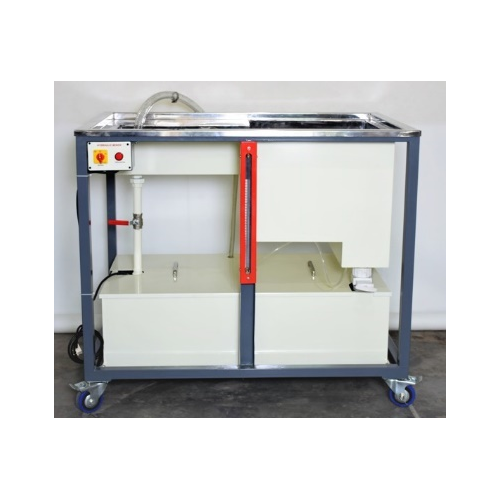
About PLC Trainer UI PLC 6DA
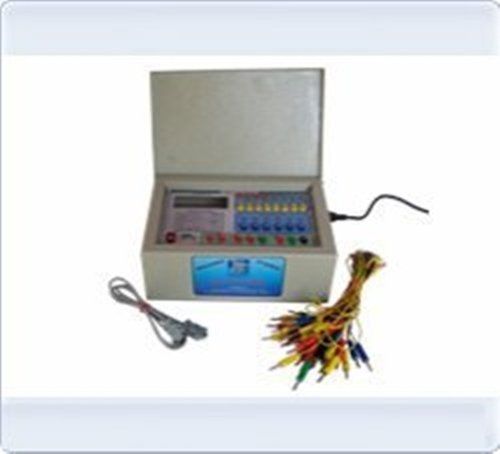
PLC Trainer UI PLC 6DA
| Usage/Application |
Laboratory |
| Brand |
Micro Technologies |
| Power Supply |
230V +-10% @ 50 Hz |
| PLC Make |
ABB, Siemens,Delta & Equivalent. |
| Digital Input / Output |
20 DI-24V, 16DO-24V |
| Analog I / O |
4 Analog Input 4-20mA, 0 to 10V, 2 Analog O/P 4-20mA, 0 to 10V |
| Inbuilt Power Supply |
24V @1A, +15V-0-15V @ 500mA |
| I / O Simulation |
10 No.Push button, 10 No. toggle switch 16 No. LED, 4 Nos Potentiometer for analog Input |
| I / O Termination |
4mm banana sockets 22 Nos |
| PC Interface |
RS 232 Serial port with cable. |
| Enclosure (mm) |
Powder Coated Metal Box. 450(W) X 400(D) X 150(H)
|
Flexible and Expandable DesignThe PLC Trainer is built to accommodate a variety of training scenarios. With 6 I/O slots and support for up to 6 digital and analog data examples, users can simulate multiple automation tasks effectively. The modular design allows seamless expansion through additional I/O modules, ensuring adaptability for evolving learning or industrial requirements.
High Precision Testing and ControlEquipped with 16-bit analog input resolution and fast response times, the PLC 6DA delivers accurate data acquisition and real-time control. The adjustable test speed, dual control modes (manual & automatic), and LED/7-segment display enhance user experience, making testing processes both intuitive and reliable for trainees and professionals alike.
Safe and Durable ConstructionDurability is ensured with a powder-coated metal chassis that offers protection against over-voltage and short circuits. The trainer operates reliably within a wide humidity range (40%-85% RH) and temperatures (0C to 50C), suitable for indoor, Class B environments. This robust build promotes safe and long-lasting usage in training centers and automation labs.
FAQ's of PLC Trainer UI PLC 6DA:
Q: How do I set up the PLC Trainer UI PLC 6DA for initial use?
A: Begin by placing the PLC Trainer on a stable tabletop surface. Connect the supplied wires to the standard terminal blocks and ensure the unit is powered using 230 V AC, 50 Hz supply. Refer to the user manual for detailed wiring diagrams and initial configuration steps.
Q: What programming languages are supported on the UI PLC 6DA?
A: The trainer supports programming in Ladder Diagram (LD), Function Block Diagram (FBD), and Statement List (STL). These languages enable flexible programming for a variety of automation projects, with programming support and cables included in the kit.
Q: When should I consider expanding the I/O capacity of the PLC Trainer?
A: Expansion is recommended when your training or automation tasks require more input/output slots than the standard 6 digital and 2 analog I/Os. Additional I/O modules can be integrated easily to meet the demands of advanced simulations or larger-scale industrial automation setups.
Q: Where can the PLC Trainer UI PLC 6DA be used?
A: This PLC Trainer is designed for indoor use in classrooms, training institutes, or industrial automation labs. Its Class B rating and robust construction make it suitable for a wide range of environments across India.
Q: What is the application process for switching between manual and automatic control modes?
A: To toggle between manual and automatic modes, use the on-board switches as outlined in the user manual. Manual mode allows direct user input for testing, while automatic mode enables programmed sequences via ladder, FBD, or STL logic, facilitating versatile operation.
Q: How does using this trainer benefit educational automation programs?
A: Students and trainees gain practical experience with standard industrial automation protocols, learning programming, simulation, and troubleshooting using real hardware. The trainer's precision, high-speed testing, and expandable features make it an invaluable tool for hands-on education in PLC technology.